Use FHIR profiles and IG packages
What you’ll do
You load the Implementation Guide (IG) packages whose profiles your models produce, for example the International Patient Summary, or your own profiles, value sets and code systems as loose files. With the package loaded, the Workspace follows your profiles: path suggestions show profile cardinality, must-support, slices and extensions; checks report elements the profile forbids; the Profile tab counts the profile’s required and must-support elements; and validation checks the FHIR against the profile. What else a package is used for is under What Atlas uses from a package.
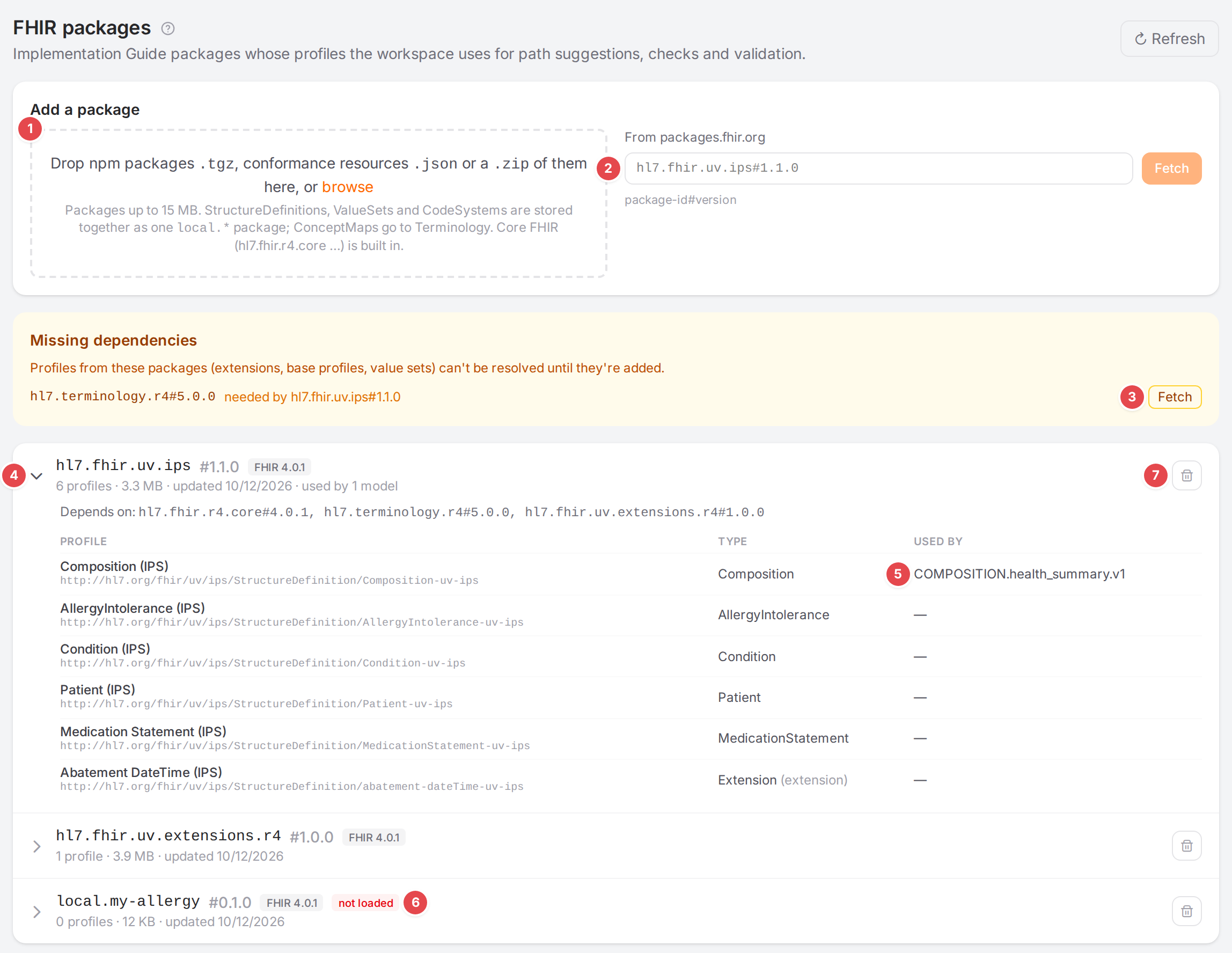
The FHIR packages page after adding the IPS package.
Before you start
Open FHIR packages in the sidebar (under Mappings).
Have the package ready: its
.tgz(as published on a package registry or by the IG’s build), or itsid#versiononpackages.fhir.org. Or have the loose resources ready: StructureDefinition, ValueSet and CodeSystem.jsonfiles, Bundles of them, or a.zipof such files (for example an IG’sdefinitions.json.zip). Core FHIR (hl7.fhir.r4.core…) is built in; don’t add it.A model’s profile is its
structureDefinition, or the profile it writes intometa.profile(Start mapping a template).
Steps
1. Add a package
Under Add a package, the numbers match the screenshot above:
1 Drop files: drop npm packages .tgz, conformance resources .json or a .zip of
them on the area, or click browse. You can pick several files, and drop or browse again to add
more. The files are listed first; nothing is uploaded yet:
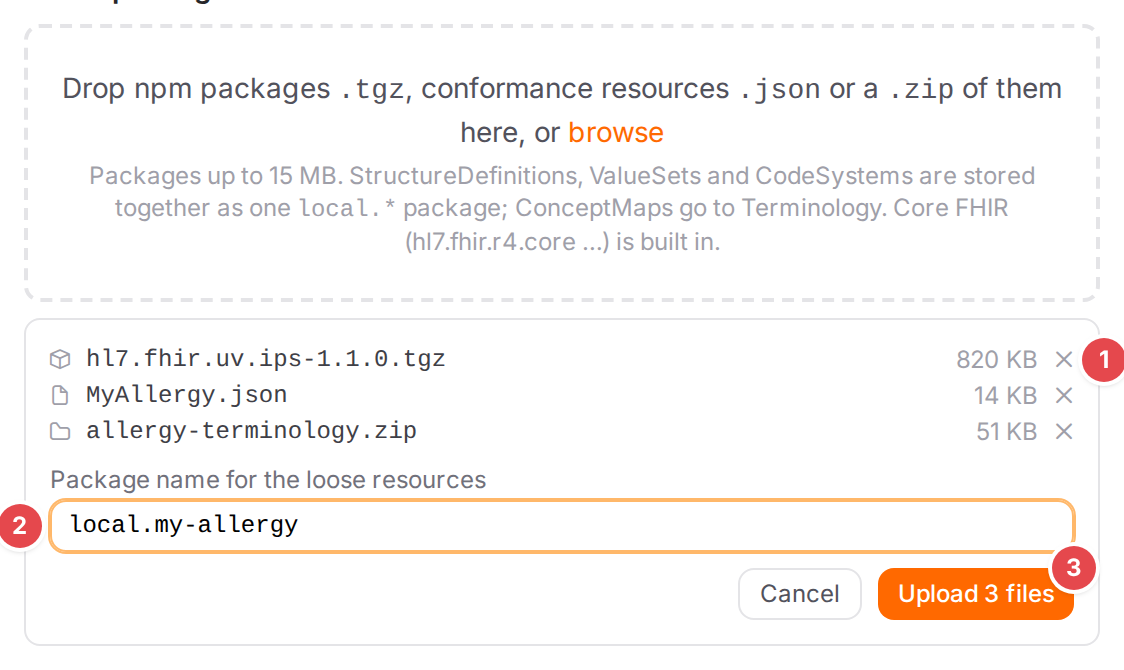
A package, a StructureDefinition and a ZIP, ready to upload: leave a file out 1, the name for the loose resources 2, and Upload 3.
Each
.tgzis stored as the package it is, up to 15 MB.StructureDefinitions, ValueSets and CodeSystems (loose
.json, Bundles, and the.jsonfiles in a.zip) are stored together as one package.ConceptMaps go to Terminology (Manage ConceptMaps), where mappings use them.
Other files in a
.zip(examples, a README) are skipped.
The cross next to a file leaves it out; Cancel drops them all.
Package name for the loose resources: shown when there are .json files or a
.zip. Leave it empty and Atlas names the package after the .zip (local.<zip name>), else
after the first profile (local.<profile name>). The package takes the first profile’s version
(0.0.1 when it has none), so uploading the same resources again under the same name replaces the
package. A name uses letters, digits, ., - and _.
Upload N files uploads them. When one file can’t be stored, Atlas stores none of them and says which file and why; the files stay listed so you can fix the list and upload again. Afterwards the card says what was stored:

What an upload stored, and the file it skipped with the reason.
2 From packages.fhir.org: type package-id#version, for example
hl7.fhir.uv.ips#1.1.0, and click Fetch. Fetch is enabled once the text has that form.
This form is missing when fetching from a registry is turned off for your Atlas.
While Atlas works, the card says “Uploading
2. Add what it depends on
A package needs the packages it depends on. When one isn’t loaded, Missing dependencies lists it: “Profiles from these packages (extensions, base profiles, value sets) can’t be resolved until they’re added.”
3 Fetch: fetches that dependency from the registry. Without a registry, upload its
.tgz instead.
3. Check the packages
4 A package: its id, #version, the FHIR version, then the number of profiles, the
size, the date it was last updated, and used by N models when models of any template produce one
of its profiles. Click the chevron to see what it Depends on and its profiles: Profile
(title and url), Type ((extension) for extension definitions), and Used by.
5 Used by: the models whose profile this is, across all templates.
6 not loaded: the package is stored but couldn’t be read for its FHIR version. Hover it for the reason. Its profiles aren’t used.
7 Remove package (step 4).
Refresh at the top reloads the list.
4. Remove a package
Click the trash icon of the package. Atlas asks first:
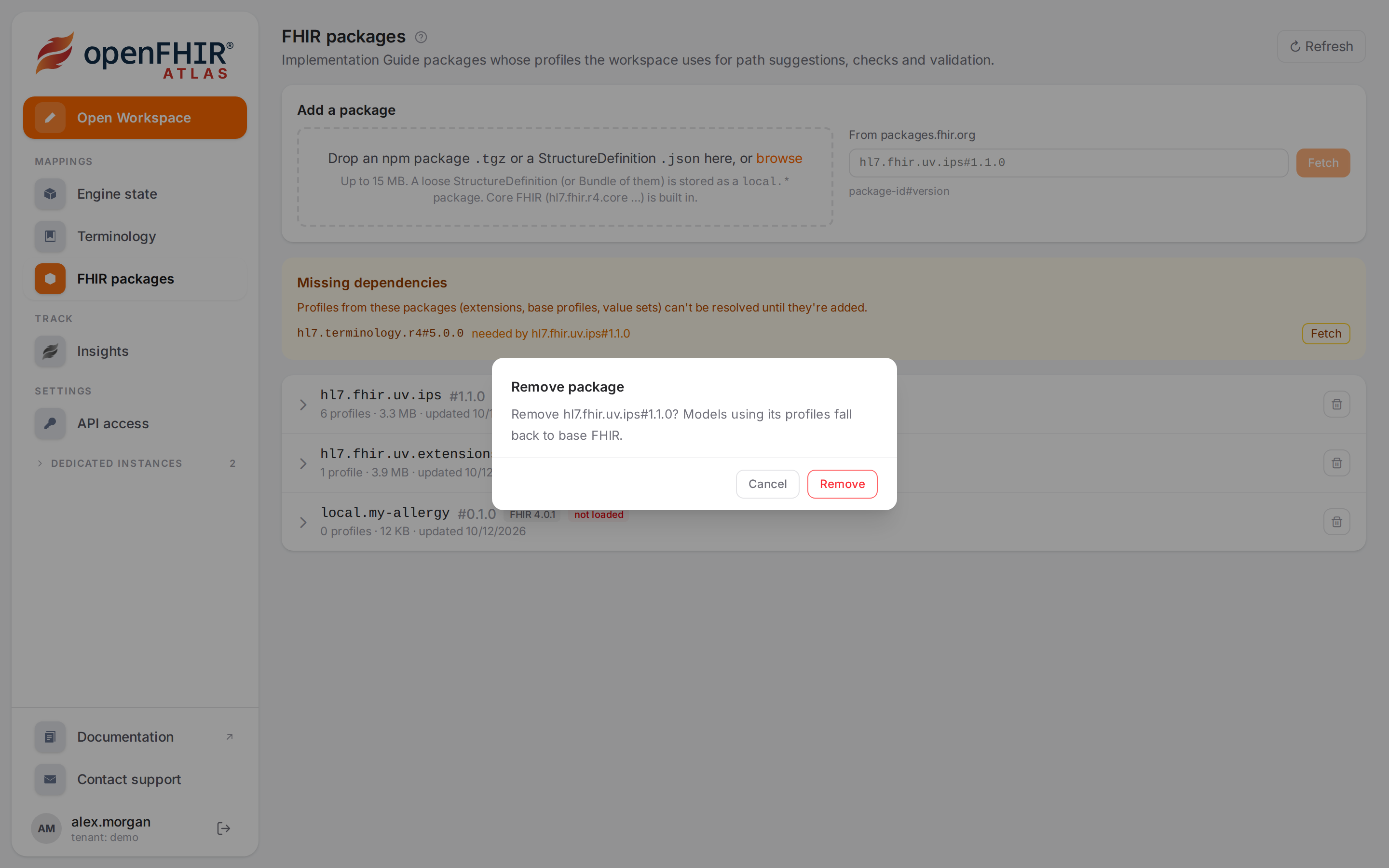
“Remove hl7.fhir.uv.ips#1.1.0? Models using its profiles fall back to base FHIR.”
What Atlas uses from a package
Atlas reads every StructureDefinition, ValueSet and CodeSystem of the loaded packages, whether uploaded, fetched from the registry or packaged from loose files:
In the package |
What Atlas uses it for |
|---|---|
Profiles and extension definitions |
Path suggestions, checks, the Profile tab, + Ext, and validation (Write FHIR and openEHR paths, Find what isn’t mapped yet, Add a FHIR extension). |
ValueSets and CodeSystems |
Validation with Terminology checks (codes & bindings) on: codes are checked against the ValueSets they are bound to, expanded from the packages’ CodeSystems (Validate against FHIR profiles). Path suggestions show a required or extensible binding. The code systems and their codes are suggested where you write terminology: ConceptMap groups and inline rows (Suggested systems and codes). |
ConceptMaps |
Nothing. Mappings translate codes with the ConceptMaps on Terminology (Manage ConceptMaps): upload them as |
The codes Atlas suggests for a system are its CodeSystem’s, plus the codes the packages’ ValueSets
list for it. For a code system no package defines, such as SNOMED CT or LOINC, that is only the
codes the ValueSets list: a ValueSet defined by a filter (is-a …) can’t be expanded in Atlas, and
validation reports such a code system as unknown. Many shared ValueSets and CodeSystems are in hl7.terminology.r4; when
a package depends on it, Missing dependencies offers to fetch it.
Check it worked
In the Workspace, open a model that produces one of the package’s profiles:
the Profile tab shows the profile instead of a base entry, counting its required and must-support elements (Find what isn’t mapped yet);
the profile-not-loaded info is gone from the Problems dock;
the validation chip no longer says N profile(s) not loaded (Validate against FHIR profiles).
Without any package, the page says:
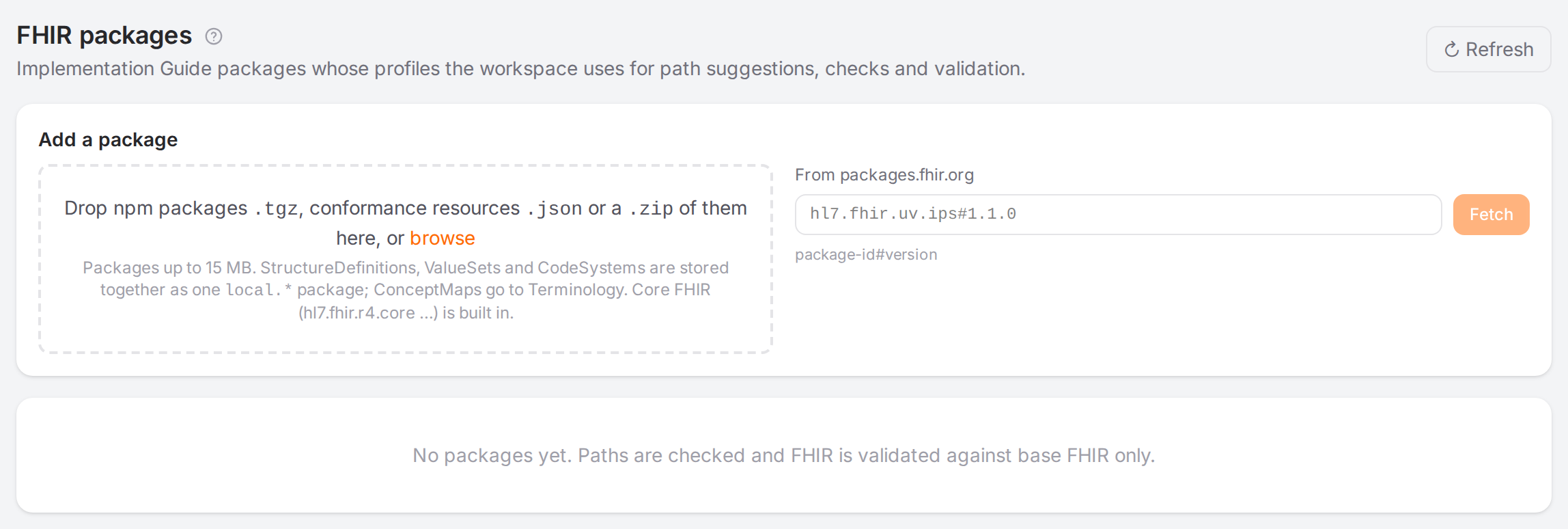
“No packages yet. Paths are checked and FHIR is validated against base FHIR only.”
Tips
Tip
Fetch by id#version when you can: Atlas then lists the package’s dependencies, and Fetch
adds each missing one in a click.
Tip
For profiles of your own, drop their StructureDefinition .json files, with the ValueSets and
CodeSystems they bind, in one upload. Atlas packages them together; uploading them again under the
same package name and version replaces the package.
Tip
A template exported from Atlas can carry its linked packages, and uploading that ZIP on the Engine state page brings them back (Export and move mappings).
Watch out
Warning
Removing a package takes its profiles away from every model that uses them: they fall back to base FHIR for suggestions, checks, coverage and validation.
Warning
Right after a package is added or removed, Atlas reloads the profiles. Until it is done, the page says “The packages are still being loaded; their profiles appear shortly.”

The loading notice.
If something goes wrong
An upload’s messages start with the file they are about.
Message |
What to do |
|---|---|
<file>: packages are limited to 15 MB |
The |
<file>: files are limited to 60 MB |
The file is bigger than 60 MB. Split the ZIP. |
<file>: not a .tgz, .json or .zip |
Leave the file out. |
‘<name>’ is no package name: use letters, digits, ‘.’, ‘-’ and ‘_’, for example local.my-profiles |
Change the package name. |
<file>: Not a FHIR conformance resource, ConceptMap or Bundle of them |
The |
Expected FHIR npm packages (.tgz), conformance resources (StructureDefinition, ValueSet, CodeSystem … as .json or a Bundle), ConceptMaps, or a .zip of them |
Nothing in the upload can be stored. |
<zip>: Archive has too many entries (limit 1000), <zip>: Archive uncompressed size exceeds limit, <file>: Entry exceeds size limit (52428800 bytes) |
The ZIP is too big. Split it. |
The registry’s package is larger than 15 MB |
The package on the registry is bigger than 15 MB. |
<file>: The package expands to more than 200 MB / ‘ |
The package unpacks to too much. |
<file>: Not a FHIR npm package (.tgz with package/package.json): … |
The file isn’t an npm package. Use the IG’s |
Engine: … |
The engine refused a file. The files before it may be stored: check the list, then upload the rest. |
Core FHIR definitions are built in; don’t upload … |
Leave out |
package.json has no name or version |
The package is incomplete; get it again from its source. |
Check the id and version on the registry. |
|
Could not fetch from |
The registry couldn’t be reached; try again, or upload the |
Fetching packages from a registry is disabled |
Upload the |
See also Missing dependencies and The FHIR packages are still loading; try again in a moment..