Ship: versions, reviews, releases
The openFHIR engine records every change to your mappings: which template, context, model or ConceptMap changed, the text that was written, who wrote it and when. Atlas shows that record and lets you push it to a Git repository you own, review changes there, tag releases and compare any two versions.
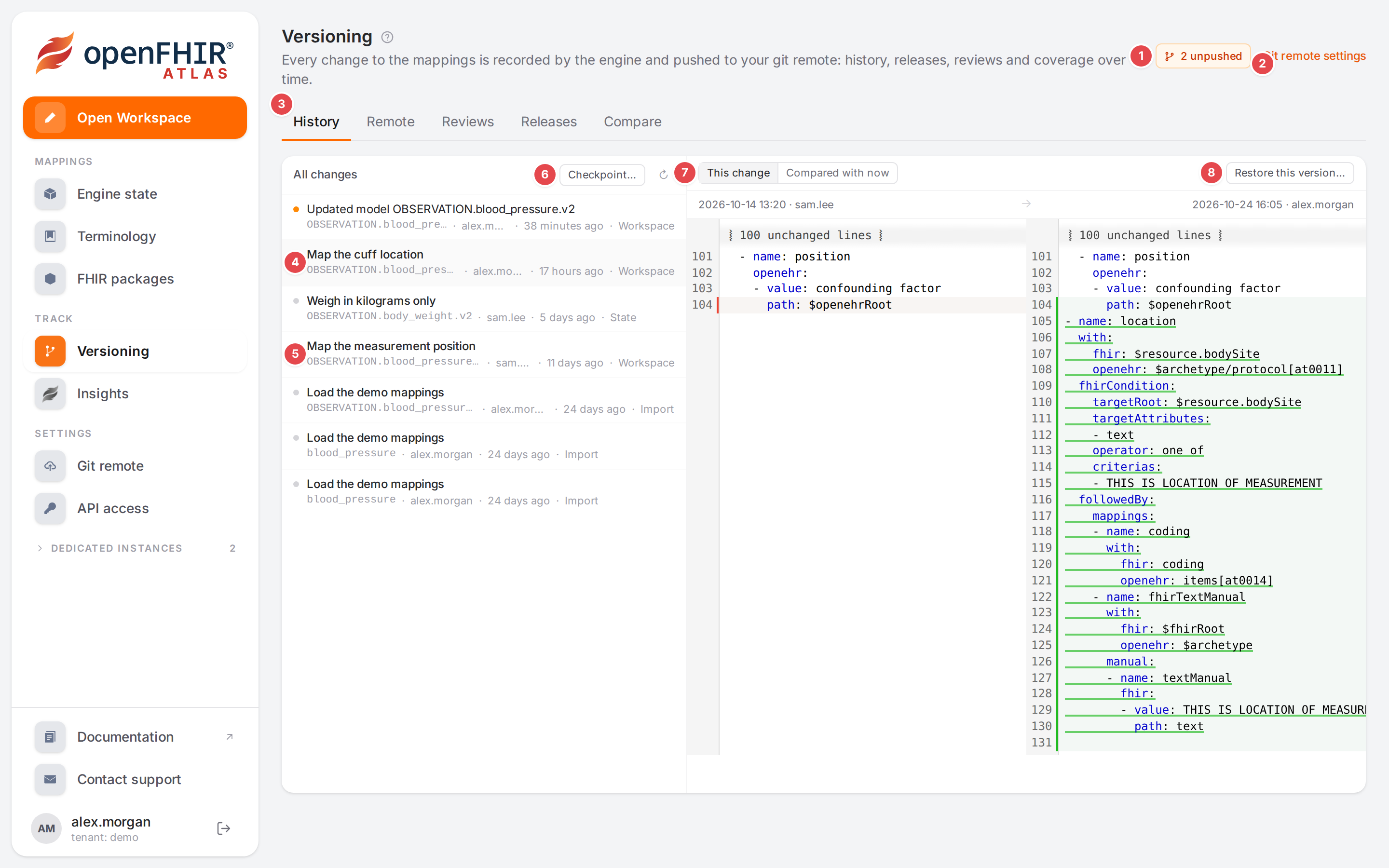
The Versioning page of the demo mappings: two changes to the blood pressure model are not pushed yet.
What versioning gives you
- History
Every save is a recorded change, also when you didn’t push anything. You can see what a change did, compare it with the current state, and bring an older version back. See History, blame and restoring.
- Who changed what
The inspector and the outline show who last changed each mapping, so you know whom to ask. See History, blame and restoring.
- A Git repository
The engine pushes the changes as readable commits to a repository on GitHub, GitLab, Gitea or any Git server. Teammates who edit the repository directly can be pulled back in. See Connect a Git repository and Push, pull and conflicts.
- Reviews
With the review workflow, changes reach the main branch only through pull requests. See Submit for review.
- Releases
A release is a Git tag with release notes and the coverage change since the previous release. See Release a template.
- Comparing versions
How much of a template was mapped in one version and in another, and which nodes changed. See Compare two versions.
- Export
Any template, live or as of a release, downloads as one ZIP you can upload elsewhere. Export works with or without versioning. See Export and move mappings.
How the pages fit together
Where |
What you do there |
|---|---|
Versioning in the sidebar (group Track) |
The page with the tabs History, Remote, Reviews, Releases and Compare. A count next to the sidebar entry shows the open reviews. |
Git remote in the sidebar (group Settings) |
Connect the repository, choose the workflow and test the connection. |
Engine state, header button Versions |
Opens the Versioning page. |
Engine state, a selected template |
History shows the changes of that template’s OPT, context and models. The ⋯ menu has Release… and Restore from revision… under Versions. |
Workspace, top bar |
The versioning badge (for example 2 unpushed) opens the History tab of the dock for the open model. |
Workspace, inspector |
The line under the mapping name says who changed it last; the History footer tab lists the changes behind it. |
Workspace, Template tab |
Compare with… marks what changed since a release or commit. |
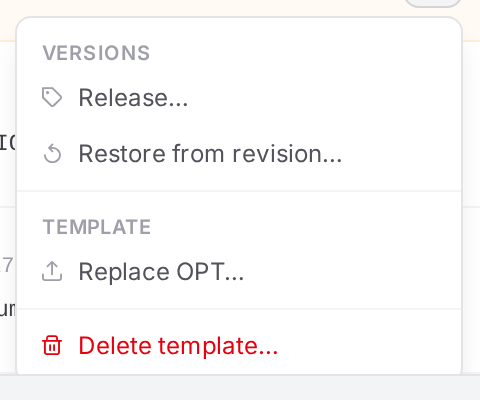
The ⋯ menu of a selected template on the Engine state page.
The versioning badge
The badge sits in the Workspace top bar and in the header of the Versioning page. It says, in this order of importance:
Badge |
Meaning |
|---|---|
Status unavailable |
Atlas couldn’t read the versioning status. Hover the badge for the reason. |
Not versioned |
No Git repository is connected yet. The history is still recorded. |
Versioning error |
The last push (also an automatic one) or the last read of the remote failed. Hover for the error; the Remote tab shows it too. |
N in review |
The review workflow is on and N pull requests are open. |
N unpushed |
N recorded changes are not on the remote branch yet. |
N to pull, Not synced, Remote changed |
The remote branch has commits the engine hasn’t pulled, the engine hasn’t pushed to or pulled from this branch yet, or the branch history was rewritten. |
Up to date |
Everything is pushed. |
In the Workspace a click on the badge opens the History tab of the dock; on the Versioning page it opens the Remote tab. On narrower screens the Workspace shows only the badge’s icon; hover it for the text.
When is versioning available
Note
Versioning is part of the openFHIR engine, not of Atlas. Atlas asks the engine when a page loads and hides Versioning, Git remote, the Versions button, the badge, the History tab and the blame lines when the engine says no. If you open the Versioning or Git remote page anyway, it tells you which of these five situations you are in:
- “Versioning is not available in the public demo.”
You are on the public demo portal. It shows the mappings, but nothing is recorded there. Use a sandbox account or your own installation.
- “Versioning is turned off on this openFHIR engine. …”
The engine can version mappings, but versioning is off, which is how the engine starts unless told otherwise. Whoever runs the engine turns it on with the setting
openfhir.versioning.enabled=true(environment variableOPENFHIR_VERSIONING_ENABLED=true) and restarts it.- “This openFHIR engine does not version mappings. Git versioning needs openFHIR Enterprise.”
The engine Atlas talks to has no versioning at all: it is an open-source engine, or an enterprise release older than versioning. Ask whoever runs your engine to upgrade it.
- “Your account may not read the version history (scope versioning.r).”
Versioning is there, but your account doesn’t have the right to read it. Ask your administrator for the
versioning.rscope; to push, restore, release or change the settings you also needversioning.w. See Access and permissions.- “The openFHIR engine could not be reached.”
Atlas couldn’t ask the engine at all. The rest of Atlas probably fails too. Try again later, or tell whoever runs the engine.
Atlas asks once per page load, so after your access was changed, reload the page.

What the Versioning page shows on an engine without versioning. The link leads to this section.