Translate codes
What you’ll do
openEHR and FHIR often code the same thing differently: at0102 in the archetype is low in FHIR.
You tell the engine how to translate such codes, either with a few code pairs written into the
mapping (inline) or with a FHIR ConceptMap the engine holds (local), for one mapping or for
the whole model. Then you check in the example what each code turned into.
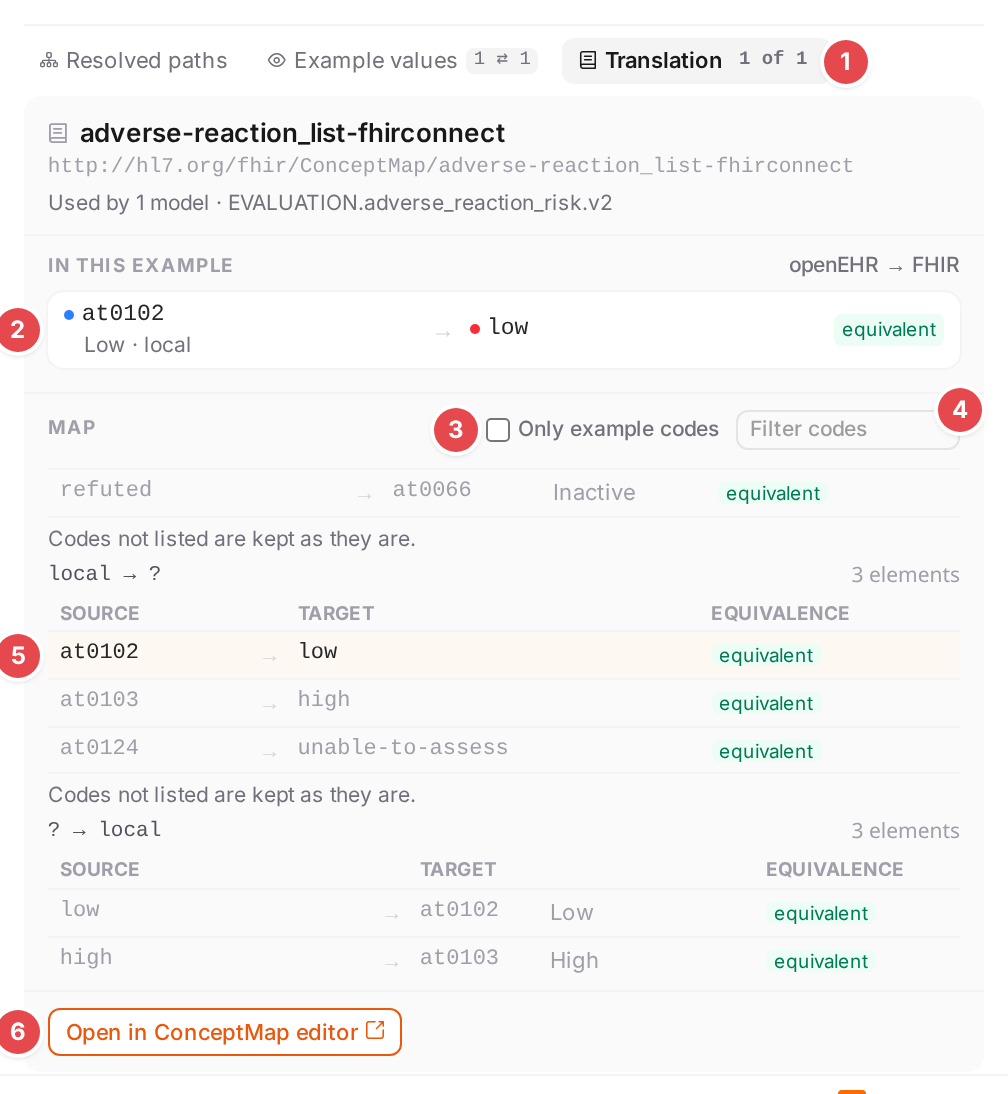
The Translation tab of criticality: the example’s at0102 became low.
Before you start
Open the model in the Workspace (Edit mappings in the Workspace).
For a ConceptMap, it must exist in the engine: create or upload it on the Terminology page (Manage ConceptMaps).
How the engine applies terminology is described in the engine’s Terminology documentation.
Choose where the translation lives
Use |
When |
Where you set it |
|---|---|---|
inline rows |
A handful of code pairs that belong to one mapping, for example four category values. |
The mapping’s Terminology property, or the model terminology. |
local (a ConceptMap) |
Longer lists, codes shared by several mappings or models, or a map you maintain on its own. |
The mapping’s Terminology property, or the model terminology. |
none |
The model translates nothing; the mappings’ own blocks still apply. |
Model terminology only. |
external |
A terminology server translates the codes (enter its Server, for example |
Model terminology only. |
A mapping uses its own terminology; without one, the model’s; without that, its parent mapping’s. A top-level mapping of a model that is slotted into another one can also get the terminology of the mapping that slots it in.
Steps
1. Set the model terminology
Select Model terminology, the first row of the outline. The editing sheet shows the model’s terminology block.
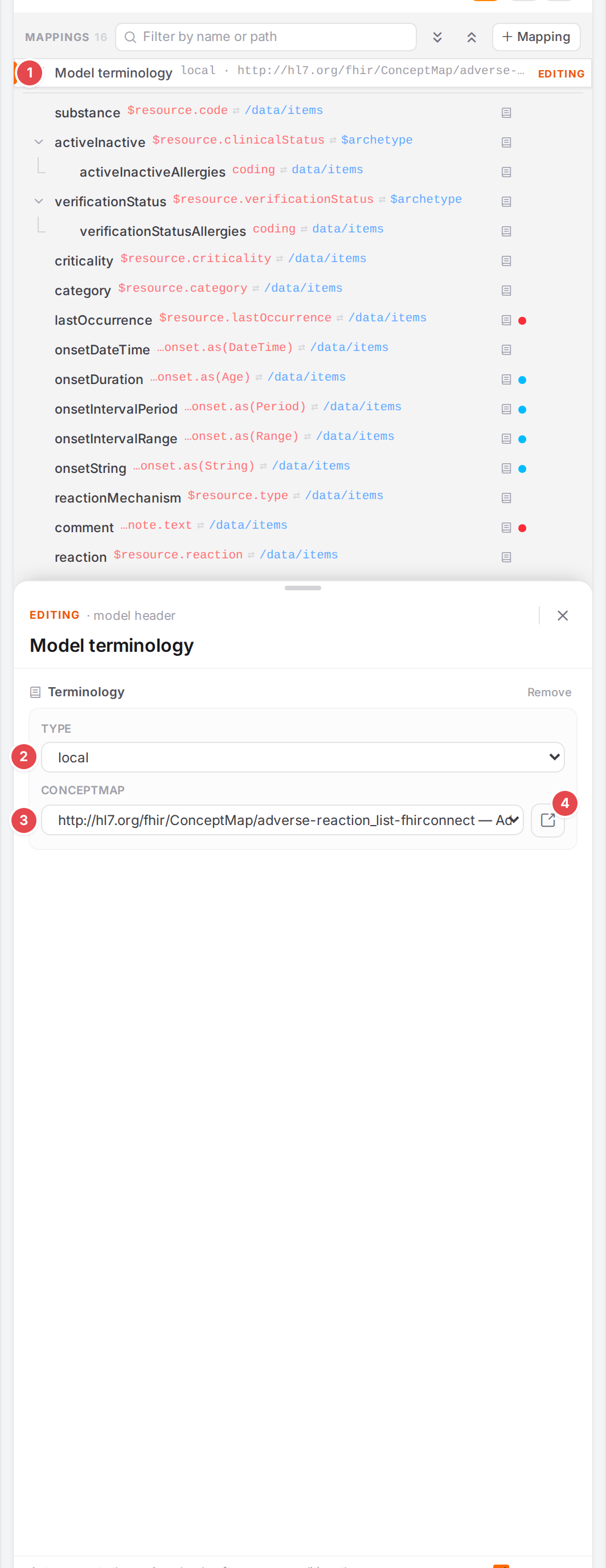
The allergy model translates through a ConceptMap.
1 Model terminology: the outline row, with a summary of the block (none — add a model-level terminology when there is none).
2 Type: none, inline, local or external. Changing the type drops the other types’ fields, so no stale value stays in the YAML; a new inline block starts with an empty row.
3 ConceptMap: every ConceptMap the engine holds, by canonical url and description.
4 Open the ConceptMap on the Terminology page, in a new tab (“Open this ConceptMap in the Terminology view (new tab)”).
Without a block, the sheet offers Add terminology (it starts as local). Remove deletes the block.
2. Or give one mapping its own codes
Select the mapping and add the Terminology property (+ Property › Terminology). A mapping’s own block knows inline and local.
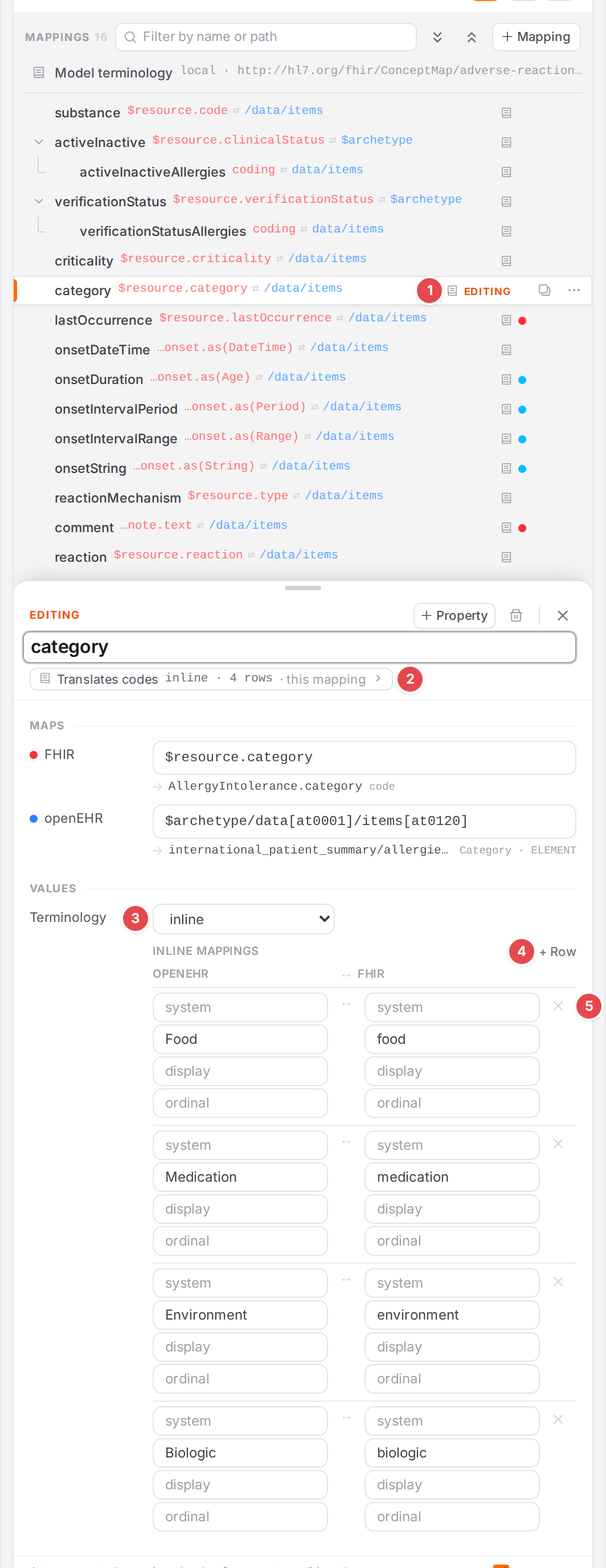
category translates four values with inline rows.
1 The book icon in the outline: this mapping’s codes are translated (“Codes translated via …”).
2 Translates codes: the terminology that applies, wherever it comes from (inline · 4 rows, ConceptMap …/adverse-reaction_list-fhirconnect), and from where (this mapping, model
terminology, from
3 Terminology type of this mapping.
4 + Row adds a pair.
5 × (“Remove row”) deletes a pair.
Each row pairs an openEHR side with a FHIR side, each with system, code, display and ordinal. Leave a field empty when it doesn’t matter; empty fields are not written to the YAML.
On the FHIR side, system, code and display suggest what the model’s FHIR packages and
core FHIR know, as in the ConceptMap editor (Suggested systems and codes): the systems first that
the mapped element’s ValueSet binding lists codes of (binding), then those the other rows use
(in use); then the codes of the row’s system. A line under system says where it comes from.
The openEHR side’s codes come from the template and aren’t suggested.
3. Check what the codes turned into
Select the mapping and click Translates codes (or the Translation tab at the bottom of the
sheet, or View map / View rows on the Example values tab). The tab shows the map with
what the example did to it. Its badge N of M says how many of the example’s codes were translated.
The numbers match the screenshot at the top of this page.
1 1 of 1: codes of the example translated (amber when some weren’t).
2 In this example: each code of the source pane, with the direction (openEHR → FHIR), what it became and how: the equivalence (equivalent …), fixed (the group’s code for
unlisted codes), other map, or not in map (“not in the map: kept as is”). Click a code to
mark its row in the map.
3 Only example codes: shows only the rows the example used.
4 Filter codes: filters the rows by code or display.
5 A row the example used, tinted. Under each group, the group’s rule for unlisted
codes: “Codes not listed are kept as they are.”, “Codes not listed become .” or “Codes not
listed are looked up in
6 Open in ConceptMap editor: opens the map on the Terminology page in a new tab. For inline rows, Edit rows takes you to the rows instead.
The pane popovers show the same: in the source pane’s values, each code has a chip such as → low;
click it to open the map at that code. See See your mapping in action.
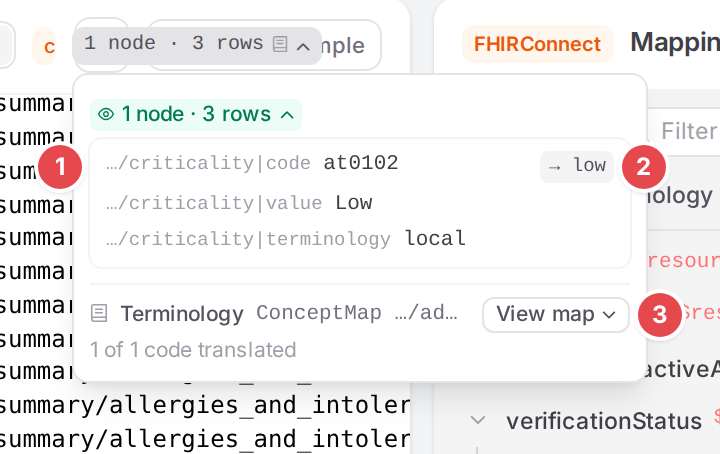
The openEHR values of criticality, with the translation chip.
Check it worked
The Translation tab counts every code as translated, and the FHIR pane shows the target code. If a code says not in map, add a row for it, or set the group’s unmapped rule (Manage ConceptMaps).
Tips
Tip
Edits to the terminology apply to the example only after a save. Until then Translates codes carries a marker: not applied yet (added), changed, or removed, and the example values still went through the saved terminology. Save to apply it.

An inline row edited, not saved yet.
Tip
The map in the tab is read again each time you open it, so edits you saved on the Terminology page in the other tab show up.
Watch out
Warning
A ConceptMap that the model names but the engine doesn’t have is kept, marked (not found), and can’t be opened. The engine then translates nothing: codes are kept as they are, and the Problems dock reports terminology-conceptmap-unknown. Pick an existing ConceptMap, or create one with that url.
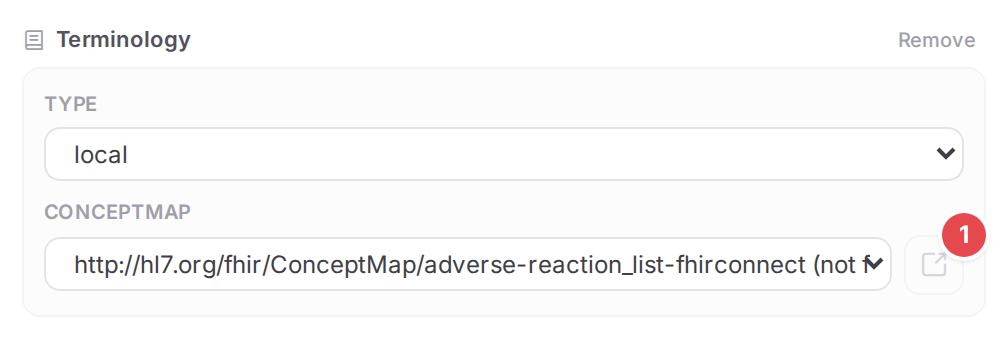
The ConceptMap was deleted from the engine; the open button 1 is disabled.
Warning
A local terminology without a ConceptMap translates nothing: terminology-conceptmap-missing.
If something goes wrong
“The engine has no ConceptMap with this url, so it can’t translate anything: codes are kept as they are.” The peek can’t find the map; see the warning above.
“Not saved yet, so the example didn’t go through it.” Save the model.
“The
example has no codes for this mapping.” The example holds no coded value at the mapping’s path. terminology-conceptmap-unknown, terminology-conceptmap-missing.