Map only when… (conditions)
What you’ll do
You make a mapping apply only to some data: only the blood pressure component with the systolic LOINC code, only a coded value with a certain code, or only when an element has a value. You read what the condition resolves to and how many elements of the example it keeps.
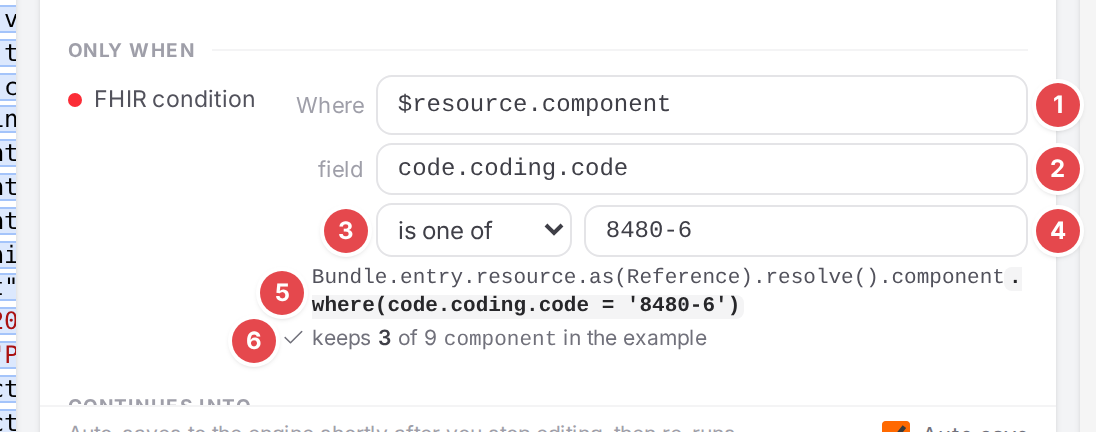
The systolic mapping keeps only the components coded 8480-6.
Before you start
Open the model and select the mapping (Edit mappings in the Workspace).
Its paths are set (Write FHIR and openEHR paths): a condition narrows what the paths select.
Steps
Add a condition
On the mapping’s sheet, click + Property 1 and pick FHIR condition or openEHR condition under ONLY WHEN.
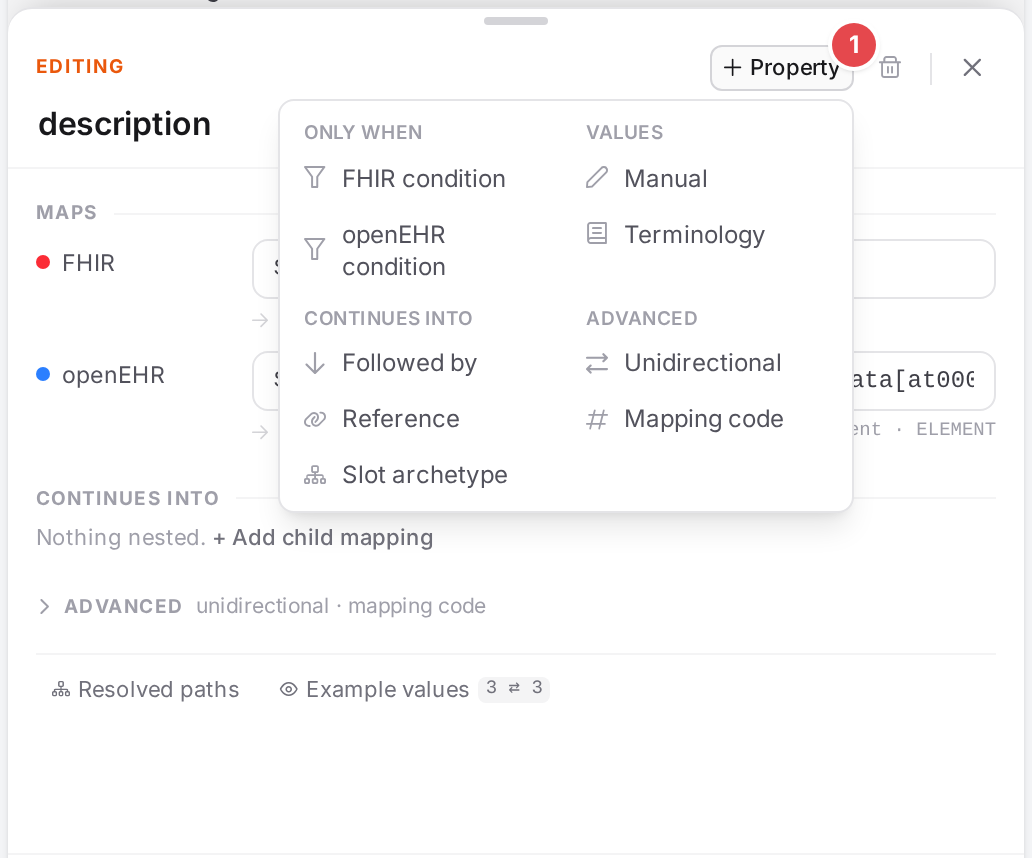
+ Property 1: the conditions are under ONLY WHEN.
The condition appears in the Only when group, with is one of chosen. A mapping can have one FHIR condition and one openEHR condition. remove next to the condition’s label (shown on hover) deletes it.
Fill it in
Fill in the four parts:
Where 1, field 2, the operator 3, the criteria 4, the FHIRPath it is equivalent to 5, and what it keeps 6.
- Where 1
The target root: the element whose items are tested, for example
$resource.component. It is written like the mapping’s own paths and has the same suggestions.- field 2
The attribute of each item that is tested, relative to Where, such as
code.coding.code. Separate several with commas: any of them may match. Suggestions offer the children of Where.- Operator 3
One of five:
In the list
Keeps or applies when
is one of
the field equals one of the criteria
is none of
the field equals none of the criteria
is of type
the field holds one of the named types
is empty
the field has no value
has a value
the field has a value
- Criteria 4
The values to compare with, comma-separated: any may match, for example
8480-6, 8462-4. is empty and has a value take none, and the criteria field disappears.
Read what it does
Below the condition, Atlas shows what it resolves to. A condition works in one of two ways.
- Filter (is one of, is none of, is of type)
It picks elements. The preview 5 is the FHIRPath the condition is equivalent to, with the
where(…)where the engine applies it:Bundle.entry.resource.as(Reference).resolve().component.where(code.coding.code = '8480-6'). is none of wraps the test in.not(); is of type tests the value’s type.With an example loaded, the line under it 6 counts what the condition keeps: keeps 3 of 9 component in the example. When it keeps none, the line turns amber and adds — check the criteria.
- Gate (is empty, has a value)
It picks nothing; it decides whether the whole mapping applies:
mapping only applies when <element> has a value.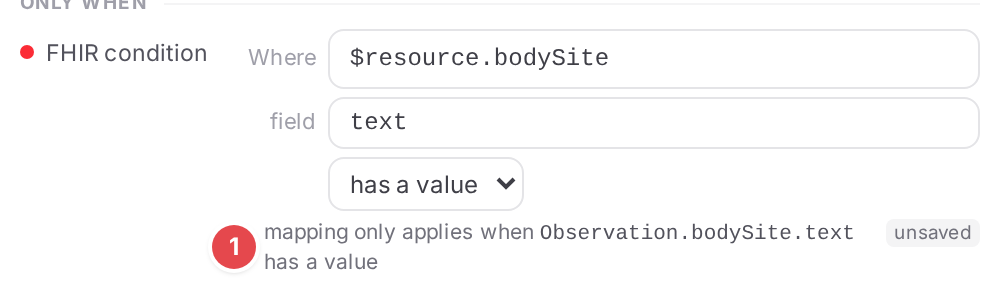
A gate 1: the mapping applies only when
bodySite.texthas a value.
While you edit, the preview is Atlas’s own estimate and carries an unsaved chip; save to let the engine resolve it. After an edit the count is dimmed: it reflects the last save until the conversion runs again.
An openEHR condition reads as one line: the node it tests, the operator and the criteria, for example
$archetype/data[at0001]/items[at0073]/defining_code/code_string is one of at0076.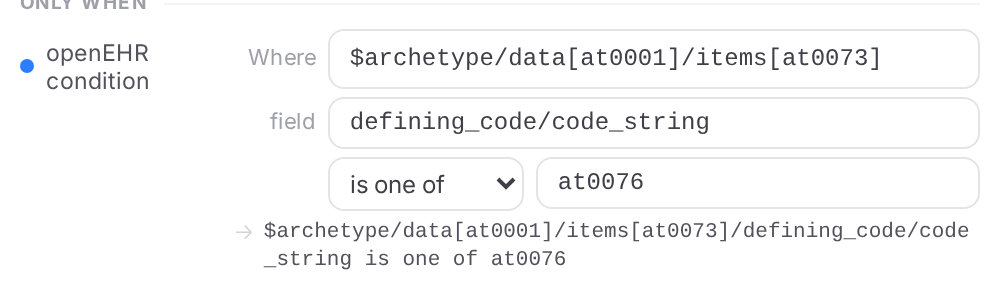
An openEHR condition: only the certainty coded
at0076.
Match by type
Choose is of type and click into the criteria field (Ctrl+Space). Suggestions list first the types the field can hold (value can hold this), then every resource and data type (FHIR) or every data value type such as
DV_CODED_TEXT(openEHR).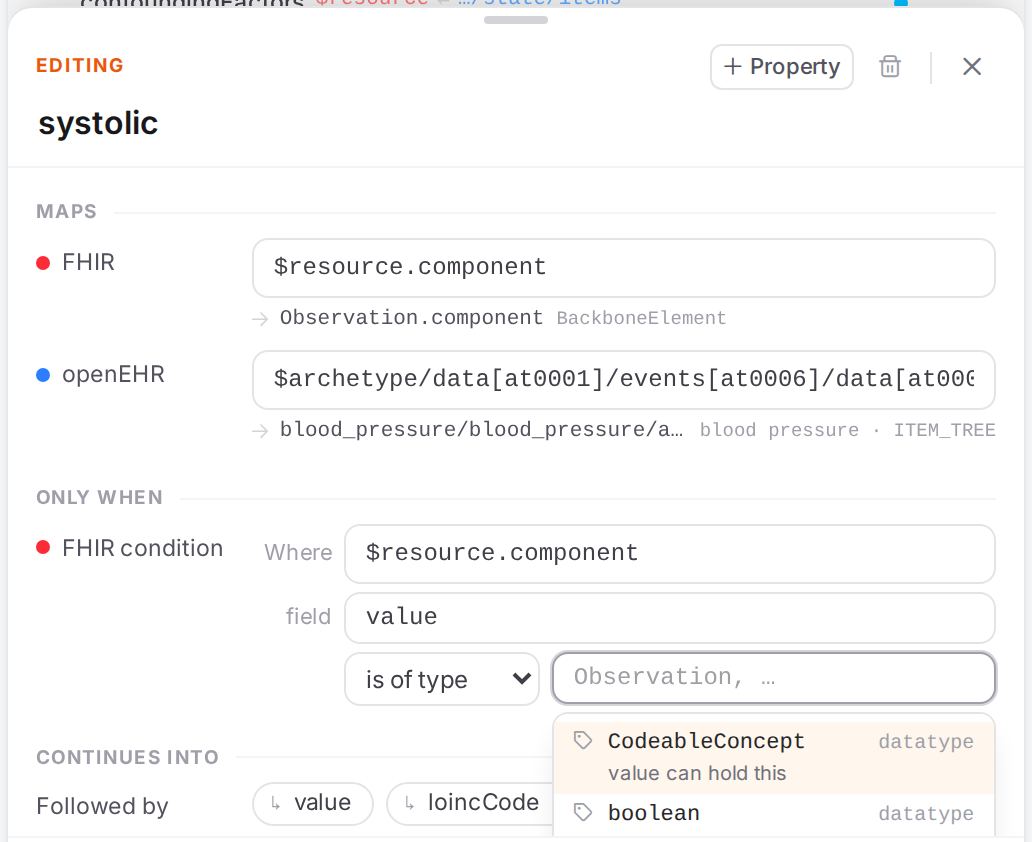
The types
component.valuecan hold come first.
Check it worked
The preview shows the
where(…)(or the gate) you meant, without unsaved after saving.keeps k of n shows a sensible share of the example, not 0.
The side panes highlight only the kept elements (See your mapping in action).
Tips
Tip
A comma means “any may match”, in field and in the criteria alike. 8480-6, 8462-4 keeps
both systolic and diastolic components.
Tip
If the preview says The target root isn’t on this mapping’s path, so the condition tests the whole resource rather than picking elements., Where doesn’t lie on the mapping’s FHIR path. The condition then tests the resource as a whole: it keeps all of the mapping’s elements or none. To pick elements, start Where with the same path as the mapping.
Tip
Accepting a slice or an extension in a FHIR path suggestion writes its selecting condition for you (Write FHIR and openEHR paths).
Tip
Atlas writes field and the criteria as lists (targetAttributes, criterias). Older files with
the single forms (targetAttribute, criteria) still work; editing the field rewrites them as
lists. In the YAML, a single criteria: "a, b" is one criterion, not two.
Watch out
Warning
After moving a mapping, its FHIR condition is kept as written. Check that Where still names the
right element; the undo toast says FHIR condition kept as written: check it still applies.
(Edit mappings in the Workspace).
Warning
is empty and has a value drop any criteria you had typed: they aren’t kept hidden in the YAML.
If something goes wrong
What you see |
What it means and what to do |
|---|---|
keeps 0 of n … in the example — check the criteria |
No element of the example matches. Check the codes, the field and Where. |
No preview under the condition |
The condition isn’t complete yet: field, an operator, and (except for the gates) criteria are needed. |
The target root isn’t on this mapping’s path, … |
See Tips. |
Problems in the paths of a condition show in the Problems dock like any path problem (fhir-path-unknown, openehr-not-in-template). Other notices are in Messages and notices A–Z.