Write FHIR and openEHR paths
What you’ll do
You fill in a mapping’s FHIR and openEHR paths with the help of suggestions from the FHIR definitions and the template, and check what each path really resolves to in the engine.
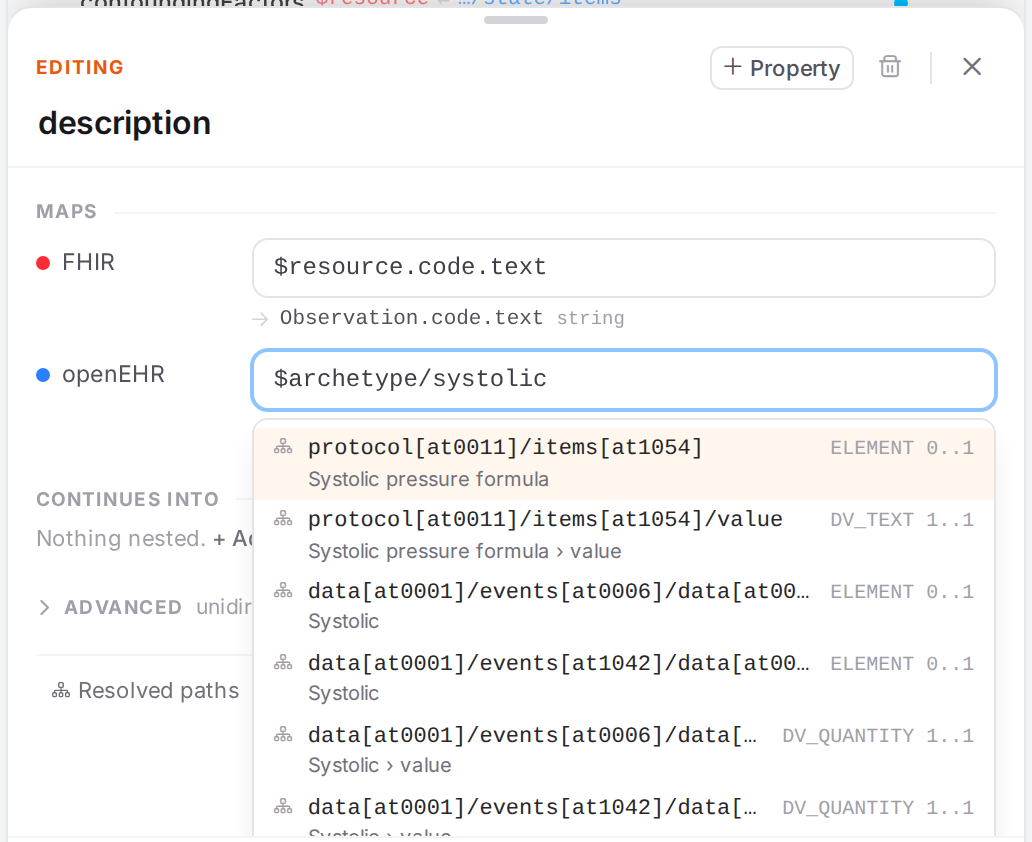
Typing a node’s name finds its whole path in the template.
Before you start
Open the model and select a mapping (Edit mappings in the Workspace).
For profile-aware FHIR suggestions, load the profile’s IG package (Use FHIR profiles and IG packages) and give the model the profile (Start mapping a template). Without it, suggestions follow the base FHIR definitions.
Steps
Start a path with a token
Every path starts either with a token or, inside a child mapping, relative to the parent. Click into an empty field and the tokens are offered straight away.
Field |
Token |
Means |
|---|---|---|
FHIR |
|
The resource this model maps. In a slotted model, the resource it is slotted into. |
FHIR |
|
The parent mapping’s element (only in a child mapping). |
FHIR |
(no token) |
Relative to the parent mapping’s element, for example |
openEHR |
|
This model’s archetype root. |
openEHR |
|
The parent mapping’s node ( |
openEHR |
|
The composition root. Paths below it keep the name predicates that tell same-archetype sections apart, such as |
openEHR |
|
Delegate to the referenced resource’s mapping (Connect models: slots, links, references). |
openEHR |
(no token) |
Relative to the parent mapping’s node, for example |
Paths and conditions cheat sheet lists all tokens and forms on one page.
Use the suggestions
Type in the field. Suggestions open as you type; Ctrl+Space opens them at any time.
Move with ↑ / ↓ and accept with Enter or Tab, or click one. Esc closes the list.
After accepting, type
.(FHIR) or/(openEHR) to go on to the next level.
FHIR suggestions
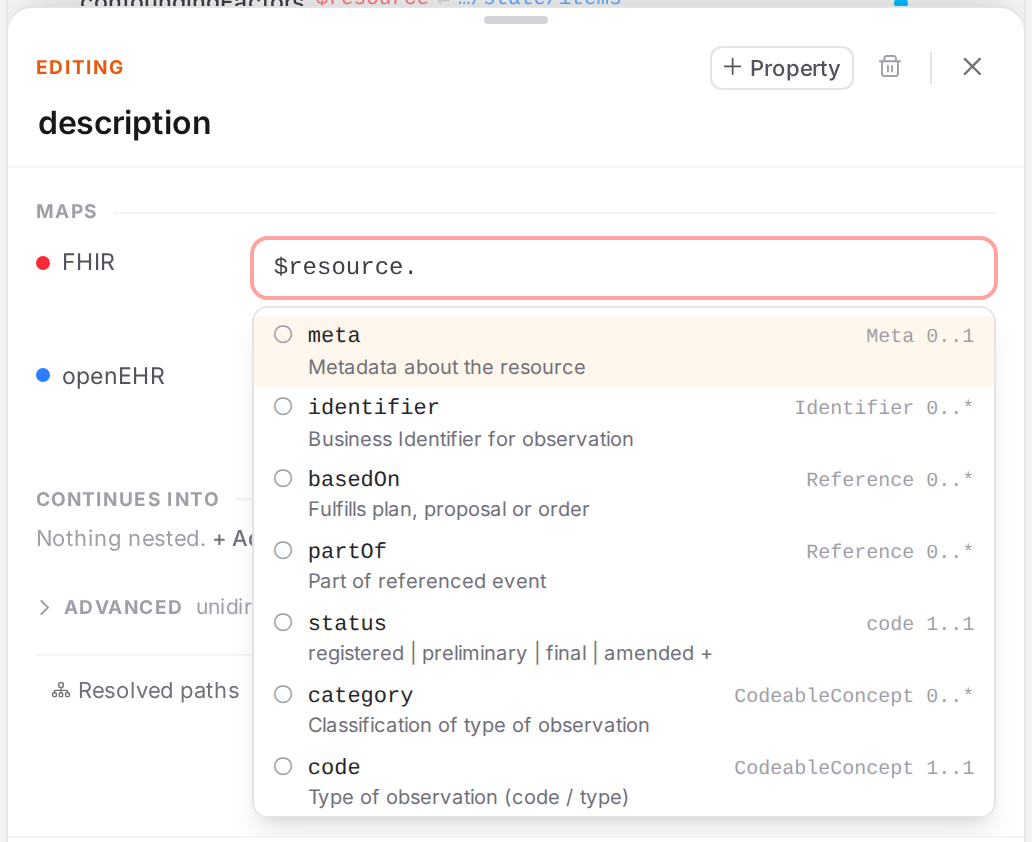
The elements of Observation, with their type, cardinality and definition.
Each suggestion shows the element, its type and cardinality, and its short definition. With a profile loaded, badges show what the profile says:
Badge |
Means |
|---|---|
MS |
Must support in the profile. |
ext |
An extension the profile defines. |
slice: |
A slice of the element. The hint names what selects it, such as |
<min..max> profile |
The profile changes the cardinality from the base definition. |
binding: required / binding: extensible |
The element’s codes are bound to a value set. |
Elements the profile forbids aren’t offered. Rarely mapped elements (id, extension,
modifierExtension, implicitRules, language, contained, text) come last unless you type
their name.
On a choice element such as value[x], the suggestions are the casts, as(Quantity),
as(CodeableConcept) …: Narrow the choice element to this type.
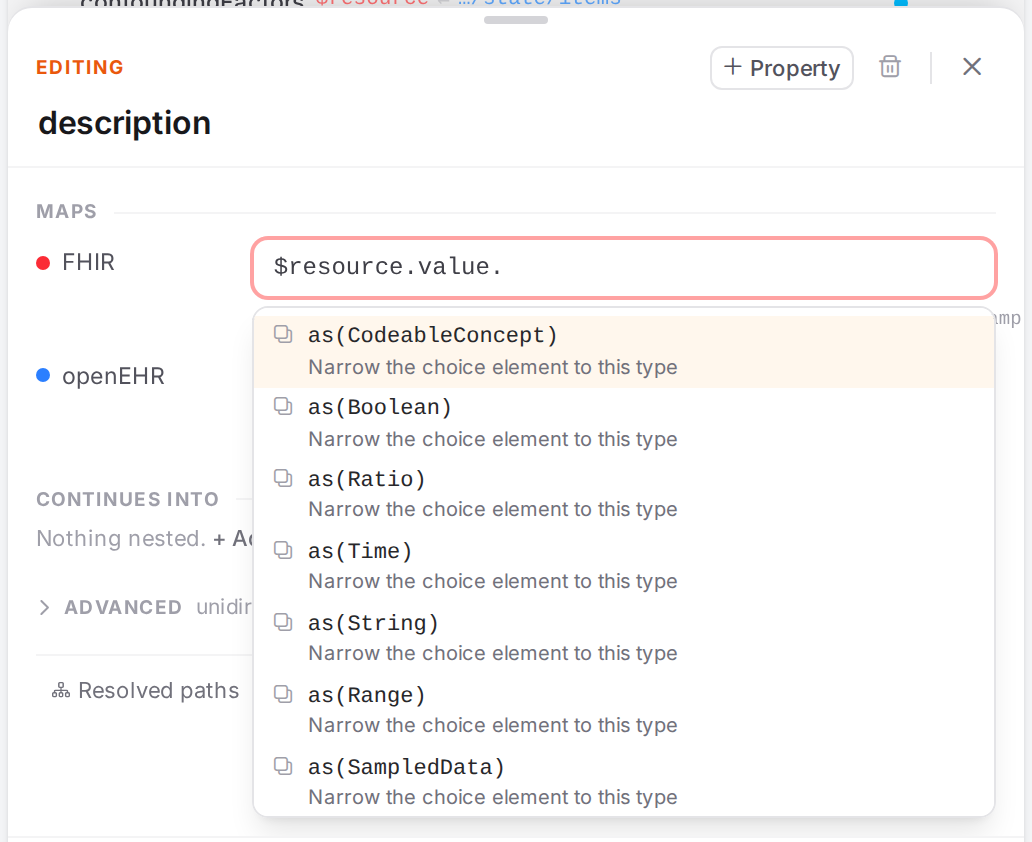
The types Observation.value can take.
On a Reference, resolve() follows the reference into the resource it points at (the hint names the possible targets). From the second segment on, where(…) is offered (Filter, e.g. where(system = …)); accepting it leaves the caret between the parentheses.
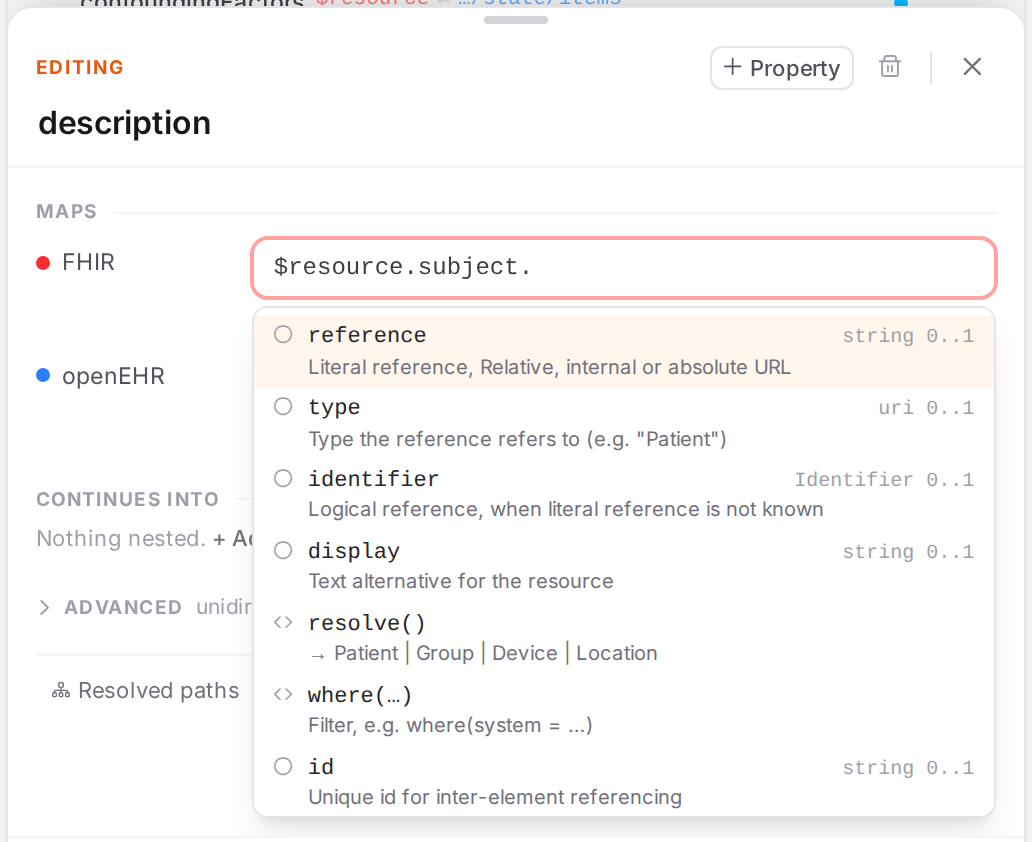
resolve() on Observation.subject.
Picking a slice or an extension also writes the matching condition. FHIR Connect addresses a
slice or an extension as the element plus a condition that selects it, so when you accept such a
suggestion Atlas adds a FHIR condition to the mapping: Where the path up to the picked
element, field the selecting attribute (url, system or code), is one of the value. It
does so only when the mapping has no FHIR condition yet. See Map only when… (conditions).
openEHR suggestions
openEHR suggestions offer whole paths from the template, not just the next segment, and match what
you type against the node names as well as the path. Typing $archetype/systolic finds every
node called Systolic, however deep it sits.
Each suggestion shows the path, its RM type and cardinality, and the node’s name.
Pin one attribute of a data value
When the path reaches an ELEMENT, or a node that is a data value itself (null_flavour), the
suggestions start with the attributes of its data value, spelled as strict AQL in openEHR paths
(with.openehr).
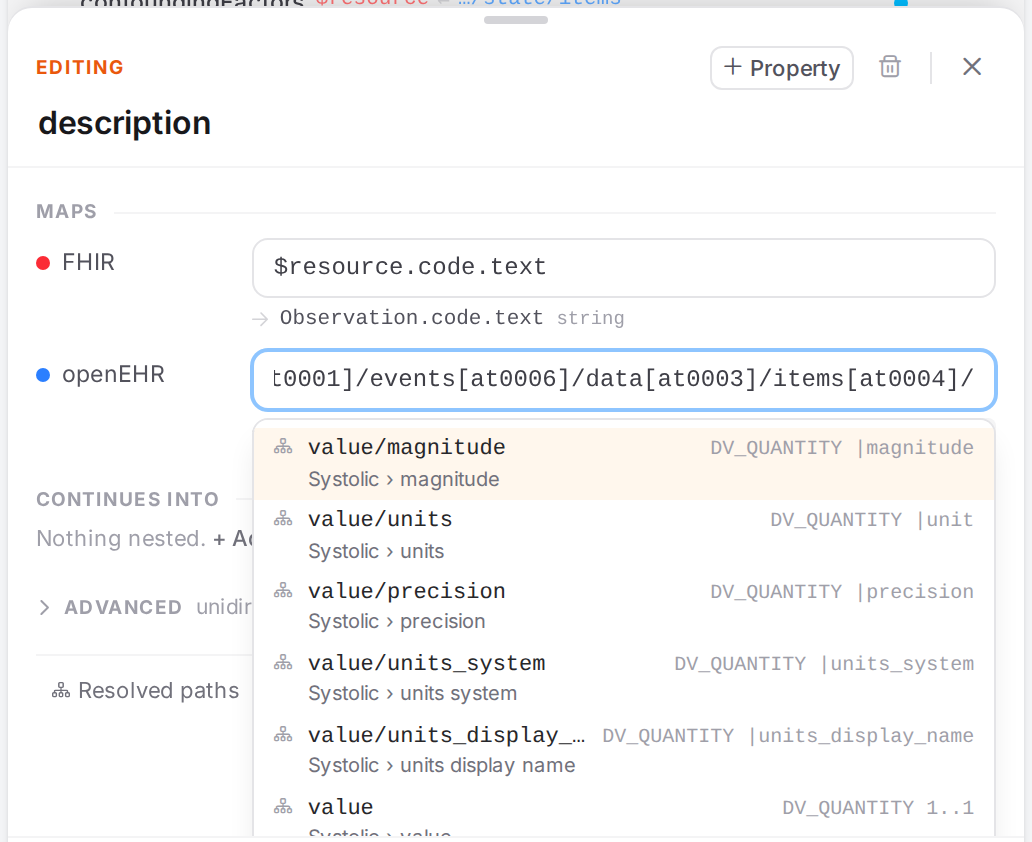
The attributes of a DV_QUANTITY, with the flat-format attribute each becomes.
Data value |
Attributes you can pin |
|---|---|
DV_QUANTITY |
|
DV_CODED_TEXT |
|
DV_TEXT |
|
DV_COUNT |
|
DV_PROPORTION |
|
DV_ORDINAL |
|
DV_IDENTIFIER |
|
DV_PARSABLE |
|
DV_MULTIMEDIA |
|
DV_BOOLEAN, DV_DATE_TIME, DV_DATE, DV_TIME, DV_DURATION, DV_URI, DV_EHR_URI |
|
An element that can hold several types lists the attributes of all of them; the hint says
also <types>: set with.type to pick when an attribute exists in more than one.
The engine reads every spelling of an attribute the same way in every field: value/magnitude,
magnitude and |magnitude all address the magnitude. Manual values and openEHR conditions suggest
the RM name (magnitude); see Fixed values, codes and manual pairs, Map only when… (conditions) and
Paths and conditions cheat sheet. Pinning an attribute through value that none of the element’s
types has (value/magnitude on a coded text) is reported as
openehr-not-in-template.
Check what a path resolves to
Under each path field, a line starting with → shows what the path resolves to in the engine:
for FHIR the full path and its type (Observation.code.coding.display string), for openEHR the
flat path, the node’s name and RM type. Hover it to see every place the model is used.
While you edit, that line is Atlas’s own estimate and carries an unsaved chip (Estimated from the edited YAML — Save to let the engine resolve it.) until you save.
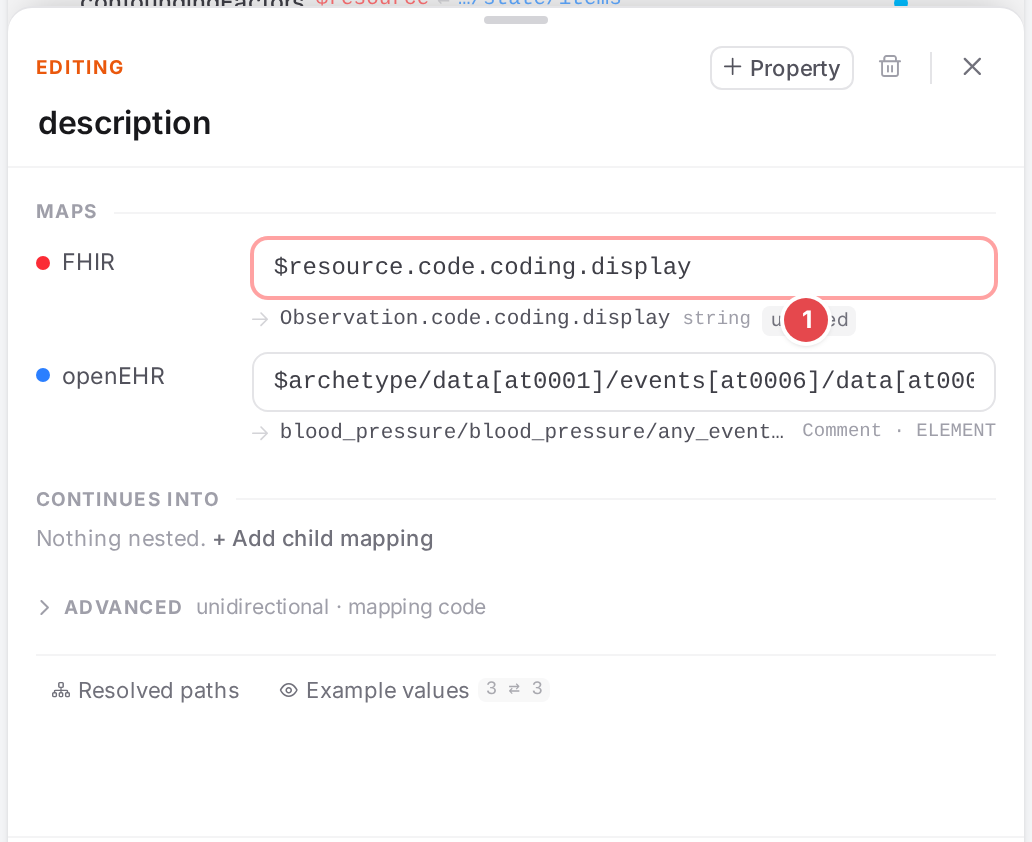
The estimate for an edited path 1.
For the whole picture, open the Resolved paths tab 1 at the bottom of the sheet.
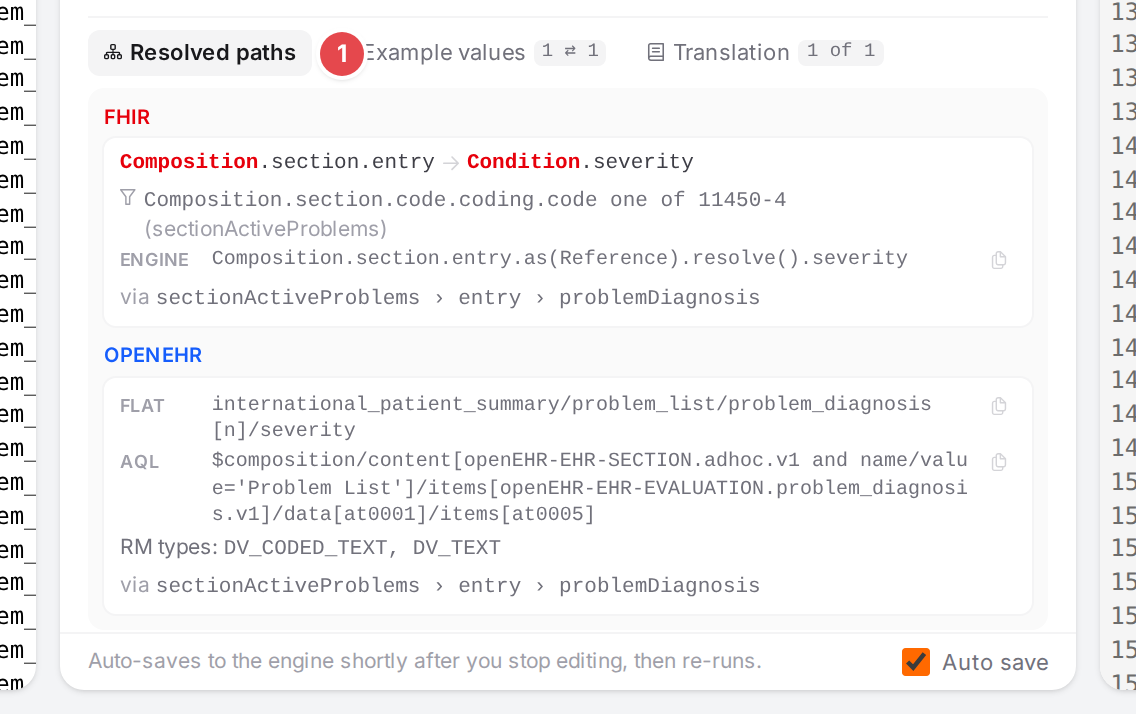
The engine’s paths for the severity mapping of the IPS problem/diagnosis model, reached through
the problem list section.
When the model runs in several places (several slots lead to it), each gets its own CONTEXT box.
FHIR: the resource hops from the root (an arrow is a
resolve()into the next resource), the conditions applied on the way with the mapping they come from, and the engine path.OPENEHR: the flat path (as the openEHR pane shows it) and the aql path, the RM types at that node.
via names the mappings the model is reached through.
Each path has a copy button; it turns into a check mark when copied. Before the first save, the tab
says Not in the engine tree yet — Save to resolve it.; after an edit,
The engine data reflects the last save — Save to resolve the edited path.
Check it worked
The → line under the field shows the element or node you meant, without unsaved once saved.
No red or amber line appears under the field, and the row’s status dot stays clear.
The side panes highlight the value the path maps (See your mapping in action).
Tips
Tip
In openEHR fields, search by what the node is called (systolic, comment, substance) rather
than by its at-code.
Tip
value alone maps the whole data value (all its parts). Pin value/magnitude, value/units or
value/defining_code/code_string when the FHIR side holds only one part.
Tip
Accept the slice or extension suggestion instead of typing the element name: you get the selecting condition for free.
Watch out
Warning
Choice casts are capitalised: value.as(Quantity), abatement.as(DateTime),
value.as(String). The engine builds FHIR from the type name, so as(string) builds nothing.
Accept the suggestion to get it right.
Warning
Picking a slice or extension writes a condition only when the mapping has none. If it already has a FHIR condition, Atlas leaves it as it is: check that it still selects the slice.
Warning
The copy buttons need a secure page. On Atlas served over plain http (other than localhost),
the browser blocks the clipboard and nothing is copied.
If something goes wrong
Path problems show as a line under the field, as the row’s status dot and in the Problems dock (Fix problems):
fhir-path-unknown: the FHIR path names an element the type or profile doesn’t have.
fhir-path-prohibited: the profile forbids the element.
fhir-slice-unknown: no slice of the profile matches the path’s
where(…).openehr-not-in-template: the openEHR path isn’t in the template.
profile-not-loaded: the model’s profile isn’t loaded, so paths are checked against base FHIR only.
hierarchy-unresolved: the engine couldn’t resolve the path of the model’s
preprocessorhierarchy.
Other notices are in Messages and notices A–Z.