Connect your system to the API
What you’ll do
You create an API client for your system, get its credentials, fetch an access token, try the engine’s REST API in the browser, and remove a client you no longer need. Your system then converts messages with the mappings you built in Atlas.
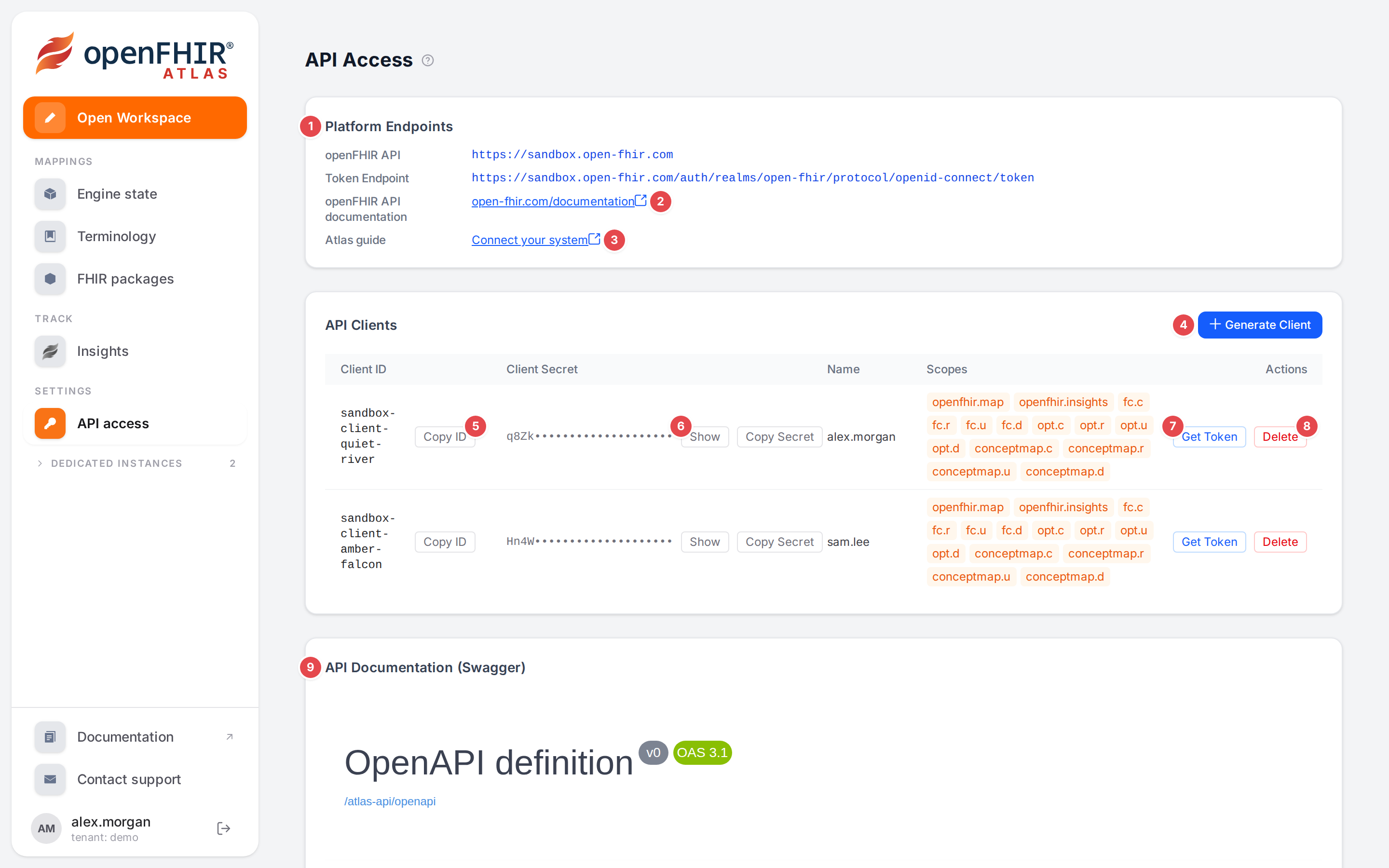
The API Access page.
Before you start
In the sidebar, under Settings, click API access.
The clients belong to your tenant: everyone of your tenant sees and can use them.
The REST API itself is described in the engine documentation: RESTful APIs, and how tokens and scopes work in Authentication.
Steps
Know the addresses
The Platform Endpoints card 1 lists:
openFHIR API: the address of the engine;
Token Endpoint: where a client exchanges its credentials for an access token;
openFHIR API documentation 2: the engine’s documentation;
Atlas guide 3: Connect your system, this page.
The addresses on the card are those of the openFHIR sandbox. On your own installation, use the engine address and token endpoint your administrator gives you.
Create a client
Click Generate Client 4.
A new row appears in API Clients: its Client ID (
sandbox-client-…), its Client Secret, its Name (your user name, so others see who created it) and its Scopes.
A new client may use the conversion and insights APIs (openfhir.map, openfhir.insights) and
create, read, update and delete mappings, templates and ConceptMaps (fc.*, opt.*,
conceptmap.*). Its tokens carry your tenant.
Handle the credentials
Copy ID 5 copies the client id; the button reads Copied! for a moment.
The secret is masked except for its first four characters. Show 6 reveals it, Hide masks it again, Copy Secret copies it.
Put the id and the secret into your system’s configuration or secret store. Your system then asks the token endpoint for a token with the OAuth client-credentials grant, and sends the token with every call:
curl -d grant_type=client_credentials -d client_id=<client id> -d client_secret=<secret> \
     <token endpoint>
curl -H "Authorization: Bearer <access token>" -H "Content-Type: application/json" \
     --data-binary @observation.json "<openFHIR API>/openfhir/toopenehr?templateId=Blood%20Pressure"
Get a token in Atlas
Click Get Token 7 on a client.
A row opens under the client: Bearer token, client credentials flow · <client id>, the token, Copy and Hide.
Swagger “Try it out” is now authorized with this token. The API documentation below uses the token from now on.
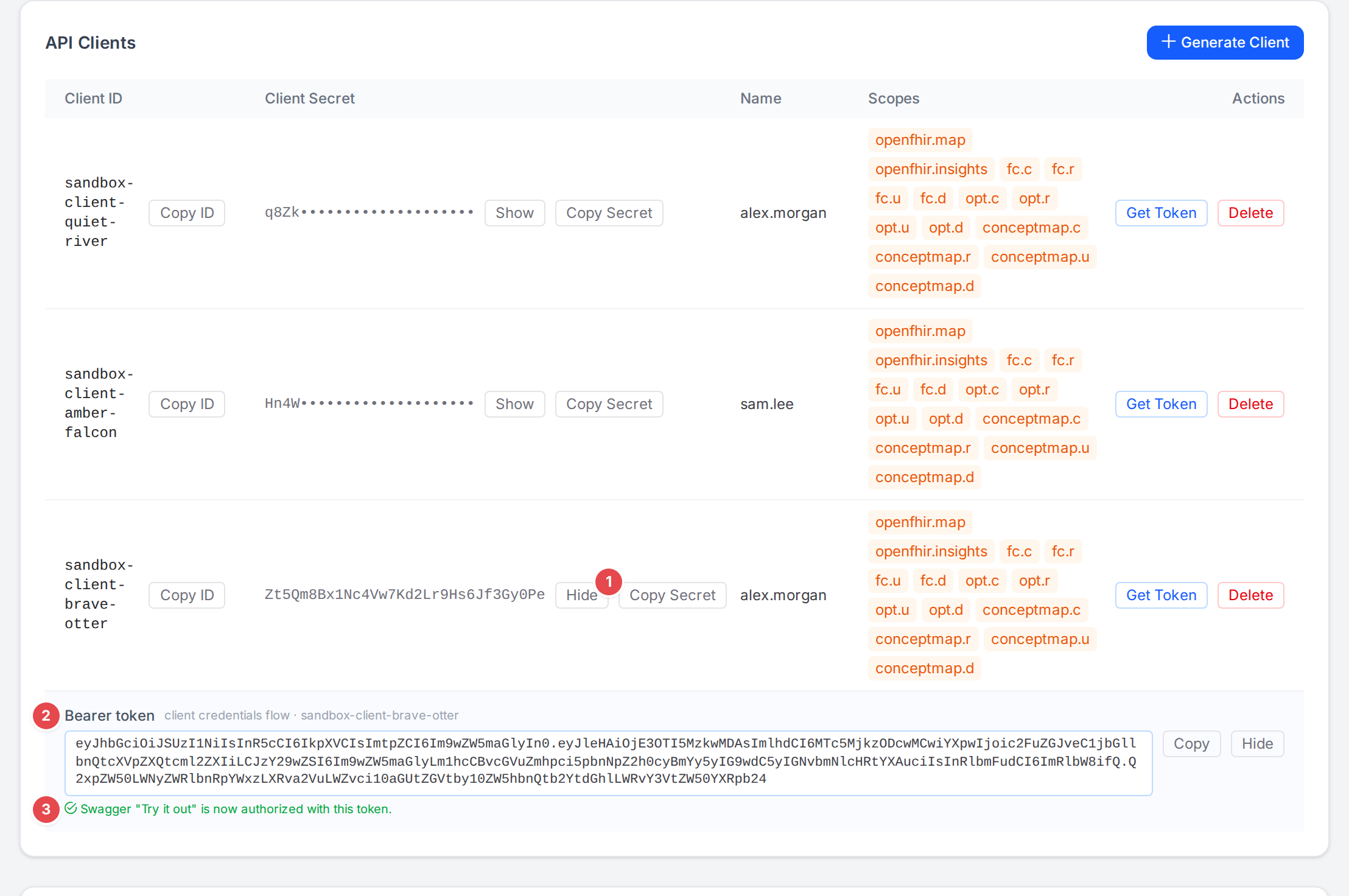
A new client, its secret shown 1, and its token 2, already set for Swagger 3.
Try the API
API Documentation (Swagger) 9 at the bottom of the page shows the engine’s REST API, read through Atlas from the engine. Open an operation, click Try it out, fill in the request and click Execute. The call goes from your browser straight to the engine, with the token from Get Token.
Delete a client
Click Delete 8 on the client.
Confirm: Permanently delete client “<client id>”? This cannot be undone and its credentials will stop working immediately.
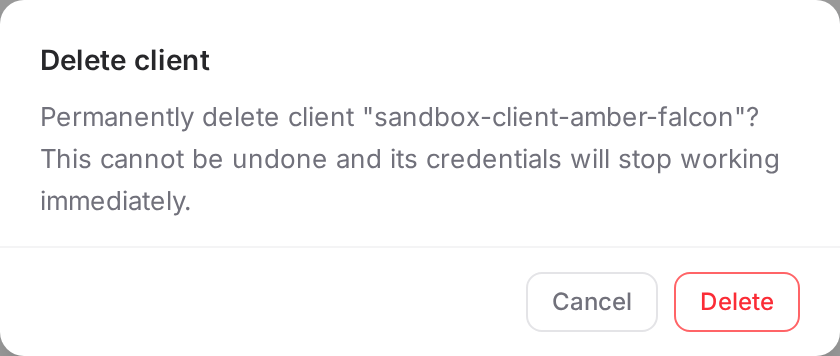
Deleting a client asks first.
Check it worked
Try it out on a conversion returns a result instead of a 401.
Your system’s conversions appear on the Insights page (see Understand a conversion (Insights)), when the engine records insights.
Tips
Tip
Create one client per system that calls the engine. You can then delete one system’s access without touching the others.
Tip
A token expires after a while; your system should fetch a new one when it gets a 401, not store one token for good.
Watch out
Warning
Treat the secret like a password: don’t paste it into tickets or chat. Anyone of your tenant can see it on this page, so delete clients nobody uses any more.
Warning
Deleting a client is immediate: every system using it stops working at its next token request or call.
If something goes wrong
Message |
What to do |
|---|---|
No API clients found for your tenant. |
Nobody of your tenant created one yet. Click Generate Client. |
Failed to obtain a bearer token for client “<client id>”. (a browser alert) |
The identity provider refused or couldn’t be reached. Try again; if it persists, tell your administrator. |
Could not load the API documentation from the openFHIR engine. |
The engine’s API description couldn’t be read. The clients still work. |
See Messages and notices A–Z for the rest.