Insights
Insights (/insights) lists the conversions the openFHIR engine ran, newest first, and shows for
each one which mappings applied and what they produced. Use it to find out why a field came out
empty. Reading an insight step by step is in Understand a conversion (Insights); how the engine records them is
in Mapping insights.
The list
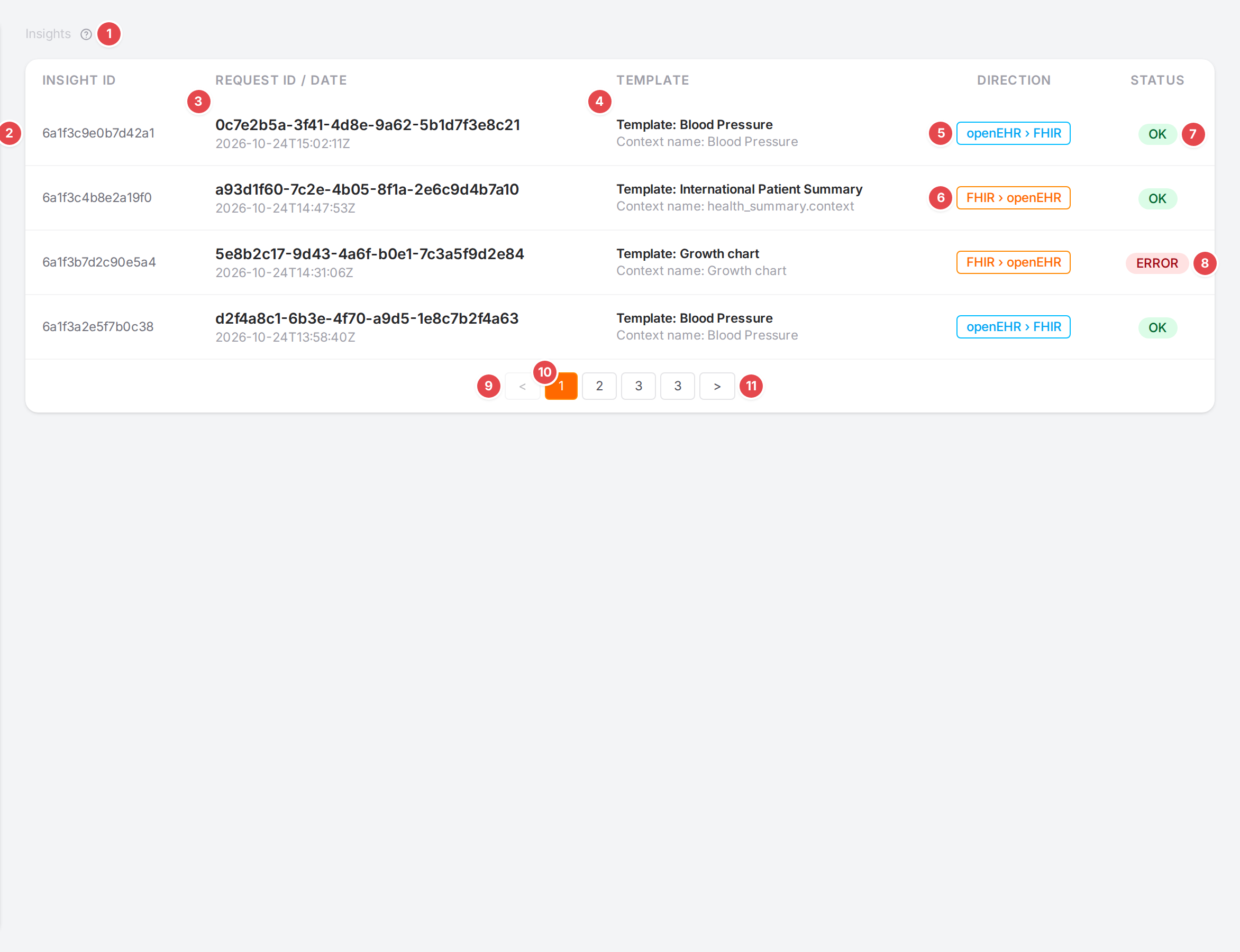
Four conversions of the demo templates.
- 1 Help
Next to the Insights breadcrumb; opens this page.
- 2 Insight ID
The engine’s id of the recorded conversion.
- 3 Request ID / Date
The id of the request that asked for the conversion, and when it ran.
- 4 Template
“Template: template id” and “Context name: context mapper”.
- 5 openEHR › FHIR
The direction: a composition converted to FHIR.
- 6 FHIR › openEHR
A FHIR resource converted to a composition.
- 7 OK
The conversion succeeded.
- 8 ERROR
The conversion failed; open it for the message.
9 Previous page (<)
- 10 Page numbers
Ten insights per page.
11 Next page (>)
Click a row to open the insight. The list page and the open insight are part of the URL
(?page=2&insightId=…), so you can share them. See Links you can share.
An insight
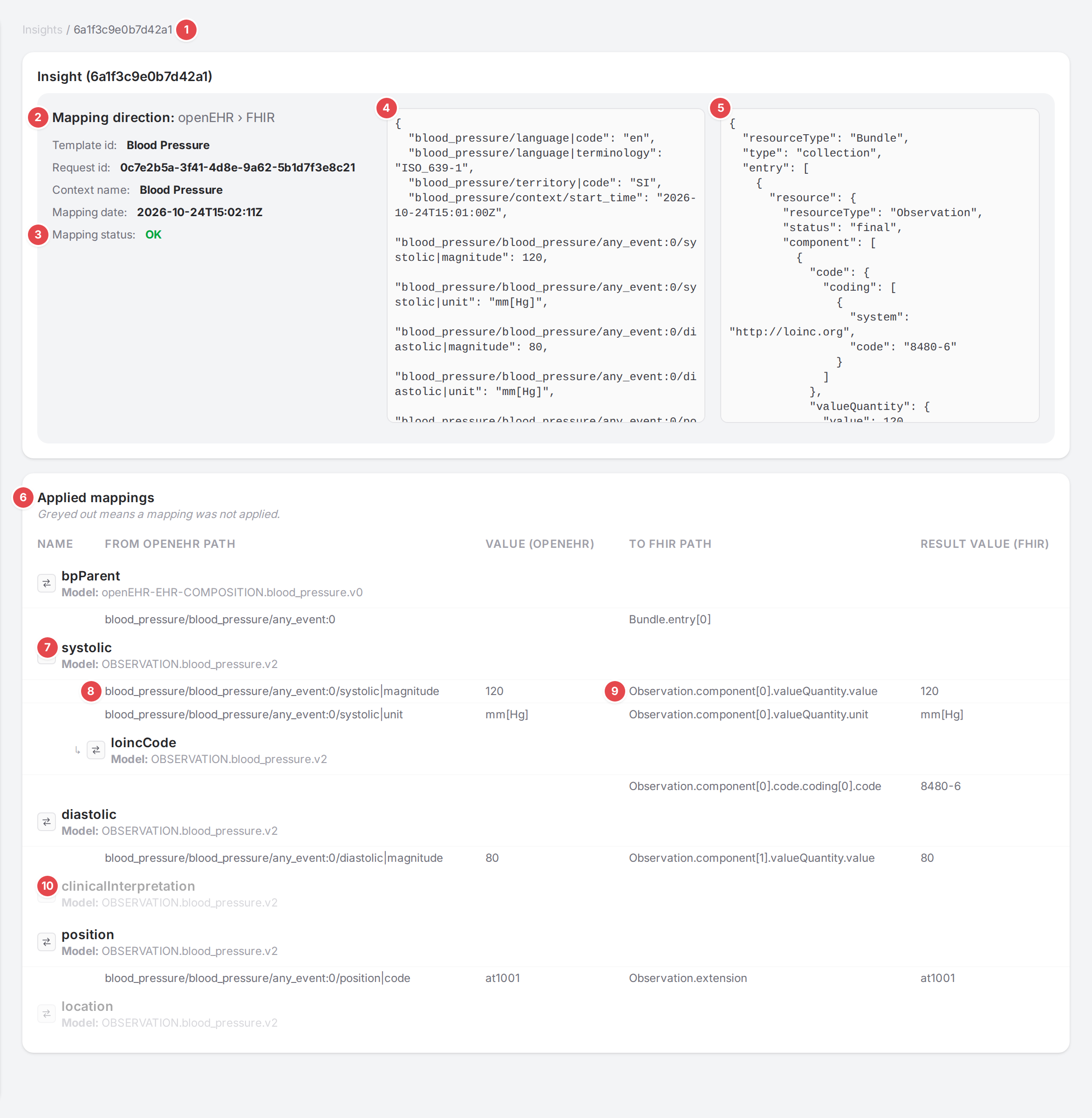
A Blood Pressure conversion with both payloads loaded.
- 1 Insight id
Click it to go back to the list.
- 2 Mapping direction
Followed by Template id, Request id, Context name and Mapping date.
- 3 Mapping status
OK or ERROR; a failed conversion adds Message with the engine’s error.
- 4 Request
The payload the engine received. Click Load request to fetch it; No request when none was kept.
- 5 Response
What the engine returned. Click Load response; No response when none was kept (for example after an error).
- 6 Applied mappings
Every mapping the conversion walked, in order: “Greyed out means a mapping was not applied.”
- 7 Mapping
The mapping’s name and its model (”Model: name”). Child mappings are indented under their parent with ↳.
- 8 From path and value
Each value the mapping read: the source path (From openEHR path or From FHIR path, depending on the direction) and the value there.
- 9 To path and result value
Where the value went in the result, and the value written.
- 10 Not applied
A greyed-out mapping wasn’t applied in this conversion: start here when a field is missing from the result.